- Server log analysis provides the most accurate audit trail of search engine bot activity, offering a real-time, unfiltered view of how Googlebot interacts with your technical infrastructure.
- Calculating your crawl ratio and monitoring crawl lag helps identify bottlenecks in the discovery process, ensuring that new URLs are found and indexed promptly by search engine crawlers.
- Analyzing log data allows technical teams to eliminate bot waste by identifying redirect chains, 404 errors, and infinite loops that drain crawl budget on low-value assets.
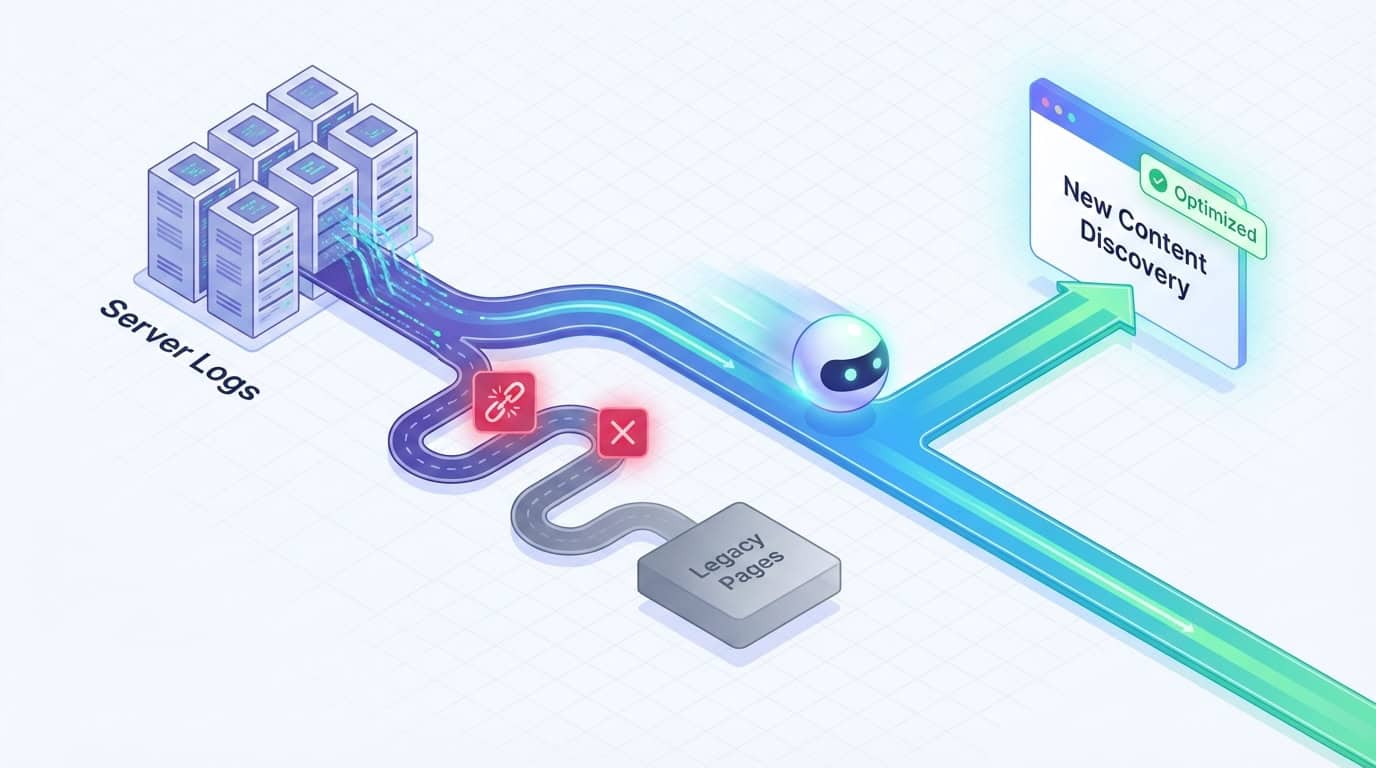
- Aligning XML sitemap strategies and site architecture with log insights ensures that search engines prioritize discovery crawling for new content over refresh crawling of stagnant legacy pages.
Server log analysis represents the primary source of truth in the SEO landscape. While third-party tools provide valuable estimations, they often rely on simulated crawls that don't perfectly mirror how search engines behave in a live environment. Log files show exactly what search engine bots do on a site in real-time. Log data strips away the guesswork inherent in external software and provides a definitive audit trail.
Crawl efficiency is a critical KPI for large-scale websites and enterprise organizations, where URL volumes are immense. For environments with more than one million URLs, bot access monitoring is necessary. It ensures that limited crawling resources aren't wasted on low-value pages or duplicate content. When search engine crawlers spend time on unimportant assets, they have less time to discover and index the URLs that drive revenue. Understanding the mechanics of these systems is the first step toward hardening your site's technical foundation.
Understanding the Fundamentals of Server Log Analysis for SEO
Server log analysis is the process of examining raw records generated by a web server to understand interactions with visitors and search engine crawlers. Raw server data provides an unfiltered view of bot activity. It serves as the bedrock for technical SEO health checks. Before you can optimize for efficiency, you must understand the specific data points available within these logs.
What Are Server Logs and Why Do They Matter for Crawl Efficiency?
A server log file is a raw record generated automatically by your web server every time a browser, bot, or script requests a file. These entries capture specific details such as the requester's IP address, a timestamp, and the requested URL. They also record the HTTP method used, the status code returned, and the user-agent string. The user-agent is the identifier for the specific bot making the request.
Modern log analysis also captures the response time and the number of bytes transferred. Analyzing response times helps technical teams identify high-latency requests exceeding 200ms. These slow pages consume disproportionate server resources during a crawl. Measuring bytes transferred helps identify heavy assets that drain your bandwidth and slow down the discovery process.
These logs act as a digital paper trail for Googlebot and Bingbot. They provide the only definitive proof of bot activity on your server. While many SEOs focus on indexing, crawling is the prerequisite that often goes unverified without log analysis. Logs allow you to confirm whether a bot has actually reached a new URL or is struggling to navigate your site's architecture.
Distinguishing between crawling and indexing is vital for accurate performance measurement. A bot may crawl a page but choose not to index it based on content quality or meta tags. If the logs show the bot never visited the page in the first place, you've identified a fundamental crawl efficiency issue. Identifying a lack of bot visits highlights a technical problem rather than a content issue.
Key Data Points to Extract from Your Log Files for Technical Audits
SEOs should focus on specific data fields when filtering logs, starting by distinguishing between mobile and desktop bots. Since Google moved to mobile-first indexing, it's necessary to observe which version of the bot is hitting your pages. Analyzing these requests helps you determine whether your server is correctly serving mobile-optimized content to the correct crawler.
The user-agent field is the primary way to filter these records. Identifying a high volume of 4xx or 5xx errors in your logs helps you fix technical issues that prevent bots from reaching new content. Every request that returns a non-200 status code is a missed opportunity to index a revenue-generating page.
Timestamp analysis is another critical component of a thorough log audit. By examining the date and time of each request, you can determine the crawl frequency for specific directories or content types. This data reveals if your most important folders are being ignored while less relevant directories receive disproportionate attention from search bots.
Verifying Googlebot Authenticity to Prevent Log Pollution
Scrapers and malicious bots often spoof their user-agent strings to mimic Googlebot. If these requests are not filtered, your log analysis will contain skewed data that misrepresents actual search engine behavior. You must use a reverse DNS lookup to confirm that the IP address in your log entry actually belongs to Google.
A legitimate Googlebot request will resolve to a hostname ending in googlebot.com or google.com. Verifying your log data ensures that you are optimizing for real search engines rather than wasting resources on scrapers. This verification step is fundamental for maintaining the integrity of your technical SEO audits and protecting your server bandwidth.
Measuring the Relationship Between Bot Activity and New Content Discovery
High bot activity does not always equate to efficient crawling or better rankings. The goal of log analysis is to align bot behavior with your site's business objectives. Rapid discovery of new assets should be the priority. You need to verify that search engines are focusing their energy on the pages that drive primary business outcomes.
How Do You Calculate Your Crawl Ratio?
Calculating your crawl ratio is a fundamental step in measuring technical SEO success. To find this number, divide the number of new URLs crawled by the total number of new URLs published within a specific timeframe. If you publish 100 pages and the logs show that Googlebot has visited 80 pages, your crawl ratio is 80%.
A high crawl ratio suggests that your site structure and internal linking are effectively guiding bots to fresh content. Conversely, a low ratio indicates that search engines are struggling to find your newest pages. Monitoring this metric weekly allows you to spot trends and address visibility issues before they impact your organic traffic. Consistently measuring these ratios provides the data needed to justify architectural changes to your web development team.
You can run this analysis by exporting your log data and sitemap URLs to a spreadsheet. Use the VLOOKUP function to match URLs from your log CSV to the list of newly published URLs. Using a VLOOKUP helps you identify exactly which pages have been ignored. A pivot table can then summarize the number of hits per URL, revealing patterns in bot behavior across different directories.
Identifying crawl lag is equally important when evaluating the performance of new content. Crawl lag refers to the time between when a page is published and the first time a search bot hits that URL. If your logs show a lag of several days, it indicates a bottleneck in your discovery process. Reducing this lag time is often the primary goal of enterprise-level technical SEO.
The Difference Between Discovery Crawling and Refresh Crawling
Log data reveals two distinct types of crawling behavior: discovery and refresh. Discovery crawling occurs when a bot finds a page it has never seen before. Refresh crawling happens when it revisits a known URL to look for updates. Balancing these two types of activity is essential to maintaining a healthy and growing site.
If your logs show that Googlebot spends 90% of its time refreshing old, low-value pages, your new URLs will suffer. An inefficient allocation of resources often occurs when a site has thousands of legacy pages that provide little value yet are still frequently crawled. You must use log data to see if your crawl share is being hoarded by stagnant content.
When you identify a refresh crawling bottleneck, it's often a signal that your site needs more aggressive pruning. You can use the logs to find which old pages are being hit most frequently and determine if they deserve that level of attention. Adjusting your internal links or using noindex tags can help redirect that bot energy toward your new discovery-focused URLs.
Comparing Server Log Data with Google Search Console Crawl Stats
Many SEOs rely solely on the Crawl Stats report within Google Search Console for technical oversight. While this report provides helpful high-level summaries, it lacks the granularity of raw server logs. GSC data is often delayed by 48 to 72 hours, making it less effective for monitoring real-time events like site launches or migrations.
Server logs provide the exact timestamp and IP address for every single request. Detailed timestamp data allows you to verify if Google is using a spoofed user-agent or if the traffic is coming from a verified Googlebot IP range. GSC does not provide this level of security verification, which is critical for protecting server resources from malicious crawlers. Comparing both data sets helps you identify discrepancies between what Google reports and what your server actually records.
The web server generates log entries for every bot request, providing a total view of the server's load. GSC only shows a sampled version of this data, which can be misleading for sites with millions of URLs. By using raw logs, you can see the impact of resource-heavy pages on your overall server performance. Analyzing server load helps technical teams optimize page speed for both bot and human visitors simultaneously.
XML Sitemap Prioritization Strategies Based on Log Insights
Many SEOs treat XML sitemaps as a set-it-and-forget-it task. However, they are a primary tool for signaling priority to search engines. Log data often shows that bots ignore sitemaps that aren't properly maintained or updated. Aligning your sitemap strategy with what you see in your logs is a critical step for ensuring the discovery of new URLs.
You should regularly compare your XML sitemap with your server logs to identify coverage gaps. These gaps occur when pages listed in the sitemap haven't been crawled in thirty days or more. If a page is in your sitemap but the logs show zero bot activity, it indicates that Google has deemed that page low priority. Using logs to validate your sitemap strategy ensures that your most important pages are being seen.
The lastmod tag is a primary tool for XML sitemap prioritization, but it is often misused. By updating this tag accurately, you signal to bots that a new or updated URL needs immediate attention. You can then verify in your logs whether the bot followed the signal and crawled the updated page shortly after the sitemap was pinged. Analyzing bot responses creates a data-backed feedback loop for your content updates.
For sites with massive content releases, a dynamic strategy involving temporary sitemaps can force-feed discovery. By placing your newest URLs in a dedicated sitemap and pinging search engines, you create a direct path for the crawler. You can then use your log data to monitor how quickly these temporary sitemaps are processed. Managing sitemaps based on log evidence represents a pillar of sophisticated technical SEO.
Troubleshooting Bot Errors and Resource Leaks in Real-Time
Many websites inadvertently sabotage their own crawl efficiency by serving low-value or redundant pages to search bots. Crawl waste occurs when the site structure creates unnecessary work for the crawler. Log analysis is the only way to see this waste in real-time and take corrective action to reclaim your crawl budget.
Spotting Bot Waste and Resource Leaks in Your Log Files
Crawl waste often manifests as bots getting stuck in infinite loops caused by faceted navigation or session IDs. These patterns are easy to spot in your log files if you look for high-volume requests to URLs with multiple parameters. If you see Googlebot requesting the same category page with twenty different filter combinations, you have identified a significant resource leak.
These loops can quickly consume thousands of requests that should have been spent on your new content. By identifying these patterns, you can inform your robots.txt strategy to block bots from entering these redundant paths. You can also use this data to determine where to apply the noindex tag to prevent low-value filtered pages from being indexed. Logs provide the scale and granularity needed to stop these leaks and reclaim your crawl budget for your most important assets.
Googlebot consumes the crawl budget when it requests low-value faceted URLs, which can be a major issue for large e-commerce sites. Constant bot access monitoring allows technical teams to detect spikes in 429 Too Many Requests status codes. A 429 status code indicates that the server is rate-limiting the bot, which can prevent it from reaching priority URLs. Fixing these limits ensures that your most important pages remain accessible to search engine crawlers.
Managing Redirect Chains and HTTP Errors
Redirect chains take a heavy toll on a bot's ability to efficiently reach new content. Each step in a chain requires an additional request from the crawler. Logs allow you to identify these chains and see exactly how many times a bot is forced to follow a trail. Moving from a 301 to another 301 before hitting a 200 status code is an unnecessary drain on your resources.
Broken links, or 404 errors, are another major source of frustration for search engine bots. When a bot hits a 404 error, it effectively hits a dead end. Cleaning up these errors based on log data is more effective than relying on third-party software. Logs show the actual pages bots are attempting to visit, rather than just the links on the page.
You can also use your logs to find orphan pages that bots are hitting but are not linked internally. These pages are often relics of old campaigns or site migrations that still attract bot traffic. By identifying these orphans, you can either reintegrate them into the site structure or remove them. Eliminating orphan pages stops the crawl budget leakage and focuses bot energy on your active content.
Optimizing Site Structure to Fast-Track New URL Discovery
Site structure is the primary map that search bots use to navigate your content. When your logs reveal that certain sections are rarely visited, it's often because the architecture is too deep or poorly organized. Optimizing site structure for crawling ensures that new URLs are positioned for maximum visibility. Frequent architecture checks are especially vital for enterprise log analysis for e-commerce sites where product catalogs are constantly changing.
The proximity of a new URL to the homepage directly influences how quickly it appears in your logs. Pages that are only one click away from the homepage are almost always crawled more frequently than those buried deep in the site. Log data often proves that pages at a depth of four or more are crawled significantly less often. To address this, you can use Log Insights to justify implementing the Recent Posts or Featured Content modules.
By monitoring the crawl frequency of pages at different depths, you can see exactly where your architecture begins to fail. Fixing crawl budget issues for million-plus URL sites often involves flattening the hierarchy to reduce crawl depth. A data-driven method for optimizing site structure is more effective than following generic advice. It allows you to guide bots directly to the content that drives conversions.
Advanced Technical SEO Health Checks Using Log Monitoring
Basic status code checks are only the beginning of a sophisticated log analysis strategy. At an enterprise scale, SEOs need to monitor patterns over time to understand the long-term health of their technical infrastructure. Advanced monitoring involves categorizing data and looking for shifts in how search engines prioritize different sections of the site. Regular technical SEO health checks should prioritize identifying high-latency requests exceeding 200ms.
Effective bot access monitoring involves categorizing your URLs into specific buckets, such as product pages, blog posts, and category pages. By grouping your data this way, you can monitor each bucket's crawl share to ensure it aligns with your goals. If your logs show that bots are ignoring your high-margin product pages, you have a major strategic issue. Grouping URLs by category allows you to reallocate internal link equity to guide bots toward priority assets.
The way search engines handle JavaScript creates a challenge for crawl efficiency known as the rendering bottleneck. In the first wave of indexing, Googlebot fetches the HTML and indexes what it finds. The second wave, which involves rendering the JavaScript, can happen much later. Server logs can reveal whether bots are fetching the initial HTML but failing to execute the JS, or returning much later for the rendered content.
Reducing client-side rendering dependencies can drastically improve the crawl efficiency of new URLs. By using server-side rendering or pre-rendering for your most important content, you ensure that bots see the full page on the first hit. Logs are the only way to verify that this transition is working and that bots are getting everything they need in a single request. Optimizing for bot rendering is a critical component of building topical authority in a modern search environment.
Server Log SEO Audit for Site Migrations
A server log SEO audit for site migrations is the most reliable way to monitor a domain move in real-time. During a migration, you must verify that search engines are following your 301 redirects from the old URLs to the new ones. Monitoring logs allows you to see this transition happen hour by hour. You can catch errors before they lead to a significant loss in organic rankings.
If you notice that bots are still hitting old URLs and receiving 404 errors, your redirect map may have gaps. You can use log data to identify the most frequently crawled old URLs and prioritize them for immediate redirect fixes. Monitoring logs ensures that the authority of your old pages is transferred to the new site as quickly as possible. Waiting for GSC data during a migration can be a costly mistake.
Logs also help you verify that your new site structure is being crawled as intended. You can monitor the crawl frequency of your new directories to ensure search engine bots discover the new architecture. If certain sections of the new site are not being hit, you may have an internal linking or robots.txt issue. Using logs provides the peace of mind needed during a high-stakes technical transition.
The Role of Server Environment in Log Formatting
The type of web server your site uses dictates the format and location of your log files. SEOs must understand these differences to parse and analyze the data correctly. Each environment has its own unique syntax and default settings that impact how bot requests are recorded.
Apache Access Logs
Apache is one of the most common server environments and uses the Common Log Format or the Combined Log Format. These files are typically found in the /var/log/apache2 directory on Linux systems. They provide a standard structure that is easy for most log analysis tools to read. You can use regular expressions to quickly filter these files for specific bots. For example, using the string googlebot|bingbot|slurp|duckduckbot in a command-line tool will isolate search engine traffic from user hits.
Nginx Logs
Nginx is known for its high performance and is frequently used by large-scale enterprise sites. Its log format is highly customizable, which can be both a benefit and a challenge for SEOs. The default access log usually contains the remote address, time, and request details. Because Nginx is often used as a reverse proxy, you may need to check the X-Forwarded-For header to determine the bot's true IP address. Understanding this technical nuance is required for accurate digital PR tracking and bot verification.
IIS Logs
Internet Information Services is the standard server environment for Windows-based systems. IIS logs are typically stored in the W3C Logging Format, which is a space-delimited text format. These logs often include more detailed fields by default, such as the port number and the specific sub-status code. Filtering IIS logs requires tools that can handle the unique header rows that appear at the top of each log file. These headers define the order of the fields, which is essential for mapping the data correctly in a spreadsheet.
Data Privacy and PII Masking in Log Files
Handling server logs requires strict adherence to data privacy regulations such as GDPR and CCPA. Log files naturally contain sensitive information, such as IP addresses, which can be classified as Personally Identifiable Information (PII). It's a requirement to mask or anonymize this data before sharing logs with third-party tools or external consultants. Anonymizing IP addresses protects your users and ensures your organization remains compliant with global privacy standards.
Most log analysis software provides built-in tools for PII masking during the import process. You can configure your server to anonymize the last octet of an IP address before the log entry is even written. This preserves the geographic data needed for SEO analysis while removing the ability to identify an individual user. Ensuring these privacy measures are in place is a critical step in any keyword cannibalization or technical audit workflow.
Tools and Workflows for Effective Log File Analysis
Raw log files can be massive, often reaching gigabytes or terabytes in size for enterprise sites. Managing this data requires specialized tools and a structured workflow to turn raw text into actionable insights. Choosing the right software depends on the scale of your site and the frequency of your technical audits.
Desktop-based tools like the Screaming Frog Log File Analyzer are excellent for small to medium-sized sites. These tools allow you to import log files and quickly visualize status codes, bot activity, and crawl frequency. For large-scale sites, cloud-based solutions like Botify or Oncrawl offer more robust processing power and real-time monitoring. These platforms can handle massive datasets and provide advanced visualizations of crawl share and bot behavior.
The industry is shifting toward proactive log monitoring using Edge SEO and CDN logs. Providers like Cloudflare or Akamai allow you to access log data at the edge, without needing direct access to the origin server. Edge-level monitoring accelerates analysis and lets SEOs monitor bot activity without waiting for IT teams to export large files. By integrating log monitoring into your daily routine, you can make data-driven decisions about SEO articles and content priority.
Maximizing Crawl Efficiency with Brand Voice
Server log optimization is a foundational technical strategy for SEOs seeking to ensure their new content is discovered and indexed promptly. While the data is complex and requires specialized tools, the results are worth the effort. By maximizing crawl efficiency, you ensure that every page you publish has the best possible chance of ranking and performing well. Technical precision allows you to focus your energy on the next critical phase of organic growth.
High-quality content is what ultimately converts the traffic that Googlebot finds during its journey through your site. Standardizing your approach to log analysis ensures that your technical infrastructure is ready for high-velocity output.
Brand Voice specializes in producing content that complements your technical precision, ensuring that once the bots find your pages, they find content worth indexing. Schedule a demo today to see how we can deliver the content that deserves to be crawled at the highest efficiency.