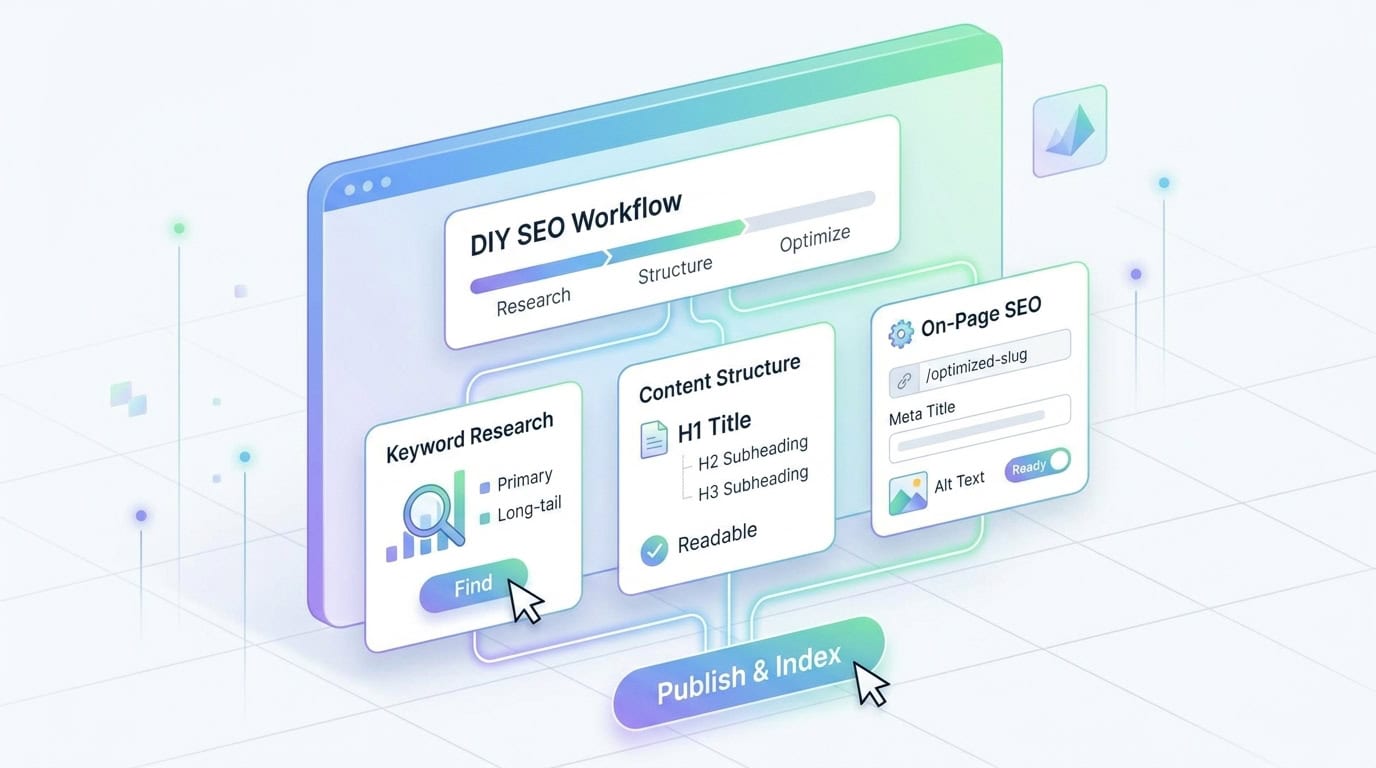
- Beginners should start with strategic keyword research using Google's "People Also Ask" and "Related Searches" sections to find primary and long-tail keywords that match audience needs.
- Successful SEO article writing requires decoding search intent to ensure content matches whether a user is looking for information, comparing products, or ready to make a purchase.
- Organizing content with a single H1 tag and properly nested H2 and H3 subheadings helps search engine crawlers understand page hierarchy while improving readability for human users.
- Demonstrating E-E-A-T principles through personal stories and expert insights is essential for building domain authority and satisfying Google's Search Quality Rater Guidelines.
- Optimizing on-page SEO elements such as meta titles, descriptive URL slugs, and image alt text is necessary for improving click-through rates and making content discoverable in search results.
SEO writing is the process of creating content that search engines can easily understand while providing genuine value to human readers. It involves a careful mix of keyword research, page structure, and quality writing to ensure your website earns organic growth in a crowded digital environment. Since over 96% of pages currently receive zero organic traffic from Google, mastering these basics is a prerequisite for online visibility.
Choosing to handle your content in-house is a practical way to manage costs while ensuring your unique brand voice remains at the forefront of every conversation. Small-business owners can follow this roadmap to produce effective content without needing a deep technical background.
Can a Beginner Really Do SEO Content Writing Successfully?
Many people wonder whether they can do SEO themselves without a professional marketing degree or years of experience. The reality is that content creation is one of the most accessible entry points into search engine optimization for beginners. While the broader field includes complex technical audits and backlink strategies, writing helpful articles is something any business owner can learn.
Success in this area requires a commitment to progress rather than immediate perfection. Search engines are increasingly focused on rewarding human-centric content that answers questions accurately and thoroughly. If you can provide a better answer than your competitors, you're already halfway toward a successful SEO strategy. Learning SEO article-writing techniques will help you bridge the gap between a simple blog post and a high-performing asset.
The Benefits of Writing Your Own Content
You possess a level of industry knowledge that an outside freelancer or generalist agency might struggle to replicate. Your deep understanding of your niche translates directly into expertise, which is a core component of Google's Search Quality Rater Guidelines. When you write your own articles, you provide specific insights that only someone who lives and breathes the business can offer.
Writing your own blog posts also guarantees that your brand values are never lost in translation. You know exactly how you want to talk to your customers and the specific tone that resonates with your target audience. By keeping content production in-house, you maintain a level of authenticity that builds long-term trust with your readers.
The Learning Curve for Small-Business Owners
It's important to understand that SEO is a long-term strategy rather than a quick fix for low traffic. Most websites take between three and six months to see meaningful progress in their search rankings after they start publishing. You'll need to be patient as you learn the nuances of keyword placement, formatting, and user engagement metrics.
Many people ask if a beginner can do SEO effectively without technical training, and the answer is yes if they follow a structured process. To avoid burnout, start small by committing to just one or two posts each month. Setting a manageable pace allows you to master the basics of optimizing blog posts for beginners without feeling overwhelmed by a demanding production schedule.
Consistency is far more important than volume when you're just starting your journey. As you become more comfortable with the process, you can gradually increase your output. Taking the time to learn these skills now will pay dividends as your domain authority grows.
Phase 1: Strategic Keyword Research for Non-Experts
Keyword research is the fundamental starting point for every article you write. If you're wondering how a beginner can do SEO effectively, it starts with understanding what your audience is searching for online. Writing an article without a target keyword is like trying to drive to a new destination without a map or a compass.
The research phase ensures that you aren't just writing for yourself, but for the people who need your products or services. By identifying the specific terms and phrases your customers use, you can tailor your message to meet their needs. Keyword strategy involves picking a primary focus and then expanding into related terms to capture a wider audience.
Identifying Your Primary Keyword
Your primary keyword serves as the central guide for your entire piece of content. The primary keyword is the main term you want your article to rank for when someone performs a search. When choosing this word, look for terms with decent search volume but that aren't so competitive that a brand-new blog has no chance of ranking.
Think carefully about the exact words your customers type into a search engine when they're looking for help. It's often better to target a specific niche term than a broad, generic word that covers too many topics. Once you pick a primary keyword, you should use it in your title, your first paragraph, at least one subheading, and your conclusion.
Focusing on one main topic helps you stay on track and prevents the article from becoming too scattered. If you try to cover too many different keywords in a single post, search engines might get confused about the main purpose of the page. Stick to one core idea and build your entire narrative around it to improve your chances of ranking.
A Step-by-Step Keyword Research Session
Start your session by opening a private browser window to prevent your personal history from influencing search results. Type your broad topic into the search bar and look at the auto-complete suggestions that Google provides. These are real terms that other users are currently searching for in your niche.
Next, scroll to the middle of the results page to find the People Also Ask section. Click a few questions to expand them, as this often triggers additional related queries. Document at least five of these questions, as they will eventually become your H3 subheadings.
Finally, check the bottom of the page for the Related Searches section to find more long-tail variations. Select one primary keyword and three supporting secondary keywords to guide your drafting process. Completing this 15-minute exercise provides a data-backed foundation for your DIY SEO content without requiring expensive software.
Finding Long-Tail Keywords and Related Terms
Long-tail keywords are phrases that contain three or more words and are highly specific to a particular topic. While these terms might have lower search volumes than broad keywords, they often have much higher conversion rates. Specific phrases convert well because the person searching usually knows exactly what they're looking for and is closer to making a decision.
Using these specific phrases helps you capture niche traffic that your competitors might be overlooking. For example, instead of just targeting "SEO," a beginner might target "DIY SEO content for small businesses." These phrases should be woven naturally into your article so they don't disrupt the reader's experience.
Including a few of these variations will help your article appear for a wider range of relevant search queries. You can find these terms by looking at the suggestions that appear at the bottom of a search results page. These related searches give you a direct look into your audience's minds and what else they're curious about.
Tools to Help You Find High-Value Keywords
You don't need expensive software subscriptions to find great keywords when you're just starting. The "People Also Ask" section on a Google search results page is a valuable resource for any beginner. The 'People Also Ask' feature shows you the exact questions people are asking about your topic, which you can then use as subheadings in your article.
AnswerThePublic is another excellent free tool that visualizes search questions in a cloud format. It allows you to see the who, what, and why behind your primary keyword. Using these questions as sub-sections ensures your content provides the exact answers your audience is looking for today.
Google Suggest provides real-time insights into popular search trends as you type into the search bar. These suggestions are based on actual search data, making them highly relevant for your DIY SEO content efforts. Using a mix of these free resources will provide you with enough data to build a solid foundation for your writing.
Phase 2: Decoding Search Intent Before You Write
Identifying the right keywords is only half of the puzzle when you're creating SEO content. You must also understand search intent, which is the underlying reason a user searches for a specific query. If your content doesn't match what the user is looking for, they'll leave your site quickly, which can hurt your rankings over time.
Understanding intent helps you bridge the gap between a keyword and a satisfied visitor. Search engines like Google prioritize pages that satisfy user intent and provide helpful content as quickly as possible. By decoding the "why" behind the search, you can structure your article in a way that provides the most value.
Informational, Transactional, and Commercial Investigation Intent
Most blog posts are designed to serve informational intent, where the user is looking to learn something or solve a problem. In these cases, the reader isn't necessarily ready to buy a product yet, but they want expert advice. Providing helpful, non-salesy information in these articles builds authority and keeps readers coming back to your site.
Commercial investigation intent sits between learning and buying, where users compare different options. Beginners can target this intent by writing comparison articles or "best of" lists that help readers evaluate their choices. Comparison content is highly effective for moving prospects further down the sales funnel.
Transactional intent means the user is ready to make a purchase or sign up for a service immediately. These searches often include words like "buy," "price," or "discount." Matching your tone to the user's intent is necessary for keeping people engaged with your content throughout their journey.
Analyzing the Top Search Results (SERP Analysis)
A simple way to understand what search engines want is to look at what is already ranking on the first page. If the top results for your keyword are all "how-to" guides, you should probably write a "how-to" guide as well. Google has already determined that this format is what users find most helpful for that specific search.
When you analyze your competitors, look for common patterns in their article length and the subheadings they use. You don't want to copy them, but you should aim to cover the same essential topics while adding your own unique perspective. Reviewing top results helps you ensure your content meets the audience's minimum expectations while identifying opportunities to provide even better information.
Phase 3: Structuring Your Article for Readers and Search Engines
The way you organize your article is just as important as the quality of the words themselves. Search engine crawlers use the structure of your page to understand the hierarchy and importance of the information you provide. A well-organized page makes it easier for both robots and humans to find the answers they need.
Good structure also improves the overall user experience by making your content more digestible. Most people skim articles before they decide to read them in full, so clear signposts are necessary. Formatting focuses on the technical and stylistic elements that make your content easy to navigate.
Using Header Tags (H1, H2, H3) Effectively
Header tags are the primary tool you use to organize your content for search engines. You should use exactly one H1 tag per page, which should be the main title of your article. The H1 tag tells Google what the entire page is about and should always include your primary keyword.
H2 and H3 tags are used to break your content into smaller, manageable sub-topics. Think of an H2 as a chapter title and an H3 as a specific section within that chapter. Structuring headers is a fundamental part of optimizing blog posts for beginners who want to improve their user experience scores.
Properly nested headers create a logical outline that helps crawlers index your page more efficiently. If you skip levels or use headers just for styling, you might confuse the search engine and the reader. Use these tags to create a clear path through your article, guiding the reader from the introduction to the conclusion.
The Power of Topic Clusters and Pillar Pages
Topic clusters establish domain authority by grouping related articles around a central theme. A pillar page provides a comprehensive overview of a broad topic and links to several more specific "spoke" articles. Organizing content into clusters signals to search engines that your website is a deep resource on a particular subject.
A beginner can start by writing one long-form pillar article and then creating smaller posts that dive into specific details. Each of these smaller posts should link back to the main pillar to share authority. The topic clusters approach makes it easier for search engines to crawl your site and understand your expertise.
Linking multiple DIY articles together helps you own a larger share of the search results for your niche. It also keeps readers on your site longer as they click through to learn more about related subtopics. Building these relationships between pages is a high-level strategy that any beginner can implement with a little planning.
Creating a Logical Flow for Better UX
A logical flow keeps readers on your page longer. When people spend more time engaging with your content, it signals to search engines that your page is high quality. Each section should transition smoothly into the next so the reader never feels lost or confused.
Start with a clear introduction that sets the stage, followed by a middle section that delivers on your promises. Use transitional phrases to connect different ideas and move the reader naturally through your narrative. A strong conclusion should summarize the main points and give the reader a clear next step.
Phase 4: Writing Content That Ranks and Converts
The drafting phase is where you turn your research and structure into a compelling narrative. While you need to keep SEO in mind, your primary goal should always be to provide genuine value to the reader. If the writing feels forced or robotic, users won't stay on the page long enough for the SEO elements to matter.
Your content should feel natural and engaging from the very first sentence. SEO elements should be integrated so seamlessly that the reader doesn't even notice they're there. The drafting process involves balancing the needs of search engines with the preferences of your human audience.
Maintaining the Right Keyword Density
Keyword stuffing is an outdated practice in which a writer repeatedly and unnaturally forces the same phrase into the content. Keyword stuffing will actually hurt your rankings today because search engines are smart enough to recognize when content is being manipulated. It also makes for a poor reading experience that will turn off your potential customers.
A natural keyword density is much more effective for long-term SEO success. You should place your primary keyword in the first 100 words of your article and again in the conclusion. Beyond that, write naturally and let the keywords fall into place where they make the most sense for the conversation.
Prioritizing Readability and Tone of Voice
Online readers have short attention spans, so your writing style needs to be quick and easy to consume. You should use short sentences and small paragraphs that consist of only two or three sentences. Simple language is always better than complex jargon, even if you're writing about a technical or professional topic.
A conversational tone is usually more effective for blog posts than a formal or academic style. It's like you're having a direct conversation with a friend or a customer, which helps build a stronger connection. Using contractions like "it's" or "don't" can make your writing feel more approachable and human.
You can use tools like the Hemingway Editor to check your readability scores and simplify complex sentences. For images, tools like TinyPNG can compress them to help prevent them from slowing down your page. Aim for a reading level that is accessible to most people to ensure your message is clear.
Applying E-E-A-T Principles to Your Blog
E-E-A-T stands for Experience, Expertise, Authoritativeness, and Trustworthiness, which are key factors Google uses to evaluate content quality. As a business owner, you can demonstrate these qualities by sharing personal stories and results from your daily work. Sharing personal stories shows that you have real-world experience in your field rather than just repeating generic advice.
You can use a "From the Field" callout box to visually separate these expert insights from the rest of the text. For example, if you are writing about plumbing, include a brief case study of a specific leak you fixed last week. Including expert details provides a unique value that rehashed SEO advice often lacks.
Transparency is a major part of building trust with your readers. If you're providing advice, explain why you're qualified to give it and be honest about your results. Building trust separates great content marketing from low-quality automated pages.
Once the drafting phase is complete, your focus must shift from the narrative to the technical wrapper. Optimizing these secondary elements ensures that your high-quality writing is actually discoverable by your target audience.
Phase 5: Essential On-Page SEO Elements
On-page SEO refers to the elements on your website that you can control to help search engines understand your content. These are the settings and descriptions that happen outside the main body of your text, but are just as important for visibility. Mastering basic on-page SEO helps ensure your content is indexed more accurately by search crawlers.
These elements are often the first thing a user sees when they find your site in a search result. If these pieces are missing or poorly written, people might not click on your link even if you're ranking on the first page. Taking the time to optimize these details will significantly improve your click-through rates.
Crafting Search-Optimized Meta Titles and Descriptions
The meta title and description are the pieces of text that appear in the search engine results. Keep your meta title under 60 characters and try to include your primary keyword near the front. The meta title needs to be descriptive enough to encourage clicks while accurately reflecting what is on the page.
Meta descriptions summarize page content for users and should stay under 160 characters. It's essentially a short advertisement for your content, so make sure it highlights the benefit of clicking the link. Including your main keyword here helps the search engine confirm that your page is a relevant match for the user's query.
Don't let these fields get cut off in the search results by making them too long. If the text is truncated, the user might miss the most important part of your message. Being brief and direct is the best way to ensure your metadata does its job effectively.
Optimizing Your URL Slugs
A clean and short URL is much better for both search engines and users than a long, messy string of numbers and letters. You should manually set your URL slug, such as "/diy-seo-writing/", rather than letting your website software generate it automatically. These links look more professional and give a clear indication of what the page contains.
When creating your slug, remove stop words such as "a," "an," and "the" to keep it concise. Use hyphens to separate words instead of underscores or spaces to ensure search engines can read them. It's good practice to place your primary keyword at the beginning of the slug for maximum impact.
A simple, descriptive URL is easier for people to remember and share with others. It also helps search engines categorize your page within the broader structure of your website. Taking ten seconds to customize this field before publishing can improve your long-term ranking potential.
Mastering Internal and External Linking
Internal links are links that point to other pages on your own website, which helps search engines crawl and index your content. They also distribute page authority across your site, making your older posts more likely to rank over time, and encourage users to stay on your site longer by offering them more related topics to explore.
External links point to other websites and show Google that you have done thorough research. Linking to high-quality, reputable sources helps build your own authority by association. It tells search engines that you're part of a larger conversation and that you value providing your readers with the best possible information.
When you create a link, use descriptive anchor text that tells the reader what to expect when they click. Avoid using generic phrases like "click here," as these provide no context for search engines. Using descriptive words in your links helps the crawler understand the relationship between the two pages.
Phase 6: Optimizing Visuals and Multimedia
A large block of unbroken text can be very intimidating to readers and often leads them to leave the page quickly. You can use images, videos, and infographics to break up the text and keep your audience engaged for longer. Visuals also provide additional opportunities to optimize your page for search engines.
Multimedia elements make your content more shareable and can help explain complex topics more clearly. However, you need to handle these files correctly to ensure they don't slow down your website. This phase covers how to use visuals to enhance your SEO rather than hurting it.
Writing SEO-Friendly Image Alt Text
Alt text is a short description of an image that helps visually impaired users understand what is on the screen. Alt text describes visual elements for crawlers since they can't interpret images the way humans do. This is a great place to include your keywords when it's natural.
Your alt text should be concise and stay under 125 characters whenever possible. For example, a good alt text would say "small-business owner writing DIY SEO content on a laptop." This provides more context and helps search engines connect the image to the page's overall topic.
Avoid stuffing keywords into your alt text if they don't accurately describe the image. Google can penalize sites that use alt text solely for ranking purposes rather than accessibility. Focus on being helpful and descriptive to ensure the best results for all users.
Optimizing Image Filenames for SEO
Before uploading an image, rename the file to include your primary keyword or a descriptive phrase. Instead of using a generic name like 'IMG_1234.jpg', use 'beginner-seo-writing-tips.jpg' to provide more context to search engines. This small change helps your images appear in Google Image Search results and reinforces your page's overall topic.
Balancing Image Quality and Page Speed
Large, high-resolution images can significantly slow down your website's loading speed. Page speed is a ranking factor, and a slow site will often rank lower than a fast one. It's important to find a balance where your images look good without negatively impacting the user experience.
You should always resize your images to the correct dimensions before you upload them to your site. You can also use free compression tools to reduce the file size without noticeable loss of quality. These simple steps ensure your page loads quickly on both desktop and mobile devices.
According to Ahrefs, 96.55% of pages receive zero organic traffic from Google. Slow loading times are a major contributor to this statistic as users abandon pages that don't load within a few seconds. Prioritizing speed is one of the most effective ways to separate yourself from the majority of the web.
Common Pitfalls to Avoid in DIY SEO Writing
One of the most frequent mistakes beginners make is creating thin content that is too short to be truly helpful. Search engines prefer long-form, detailed content that covers a topic thoroughly from multiple angles. If your article is only a few hundred words, it's unlikely to provide enough value to rank well against more comprehensive competitors.
Google uses mobile-first indexing, meaning it primarily evaluates the mobile version of your website when determining rankings. You should use a responsive WordPress theme that automatically adjusts your content to look great on smartphones and tablets. If your site is difficult to navigate on a phone, your search rankings will suffer regardless of how good your writing is.
The Risks of Over-Optimization
Over-optimized content confuses search algorithms because it prioritizes technical tricks over natural communication. This often happens when a writer tries to rank for too many unrelated keywords in a single short post. The resulting content feels clunky and lacks a clear, singular purpose for the reader.
Another common form of over-optimization is forcing keywords into every single heading and sentence. This leads to content dilution, where the main message is lost in a sea of repetitive phrases. Search engines are smart enough to recognize when a page is being manipulated rather than written for a human audience.
If you have a physical storefront, ignoring local SEO opportunities is a missed chance to find nearby customers. You should include your city and neighborhood names in your content to help local users find you. This is a simple way to stand out in a specific geographic area where you have a natural advantage over national competitors.
Phase 7: Tracking Performance with Google Search Console
Once you have published a few articles, you need a way to measure their success. Google Search Console (GSC) is a free tool that shows you exactly which keywords are driving traffic to your site. It also shows how many times your link has appeared in search results and how many people have clicked it.
Checking your performance every month helps you see which topics resonate with your audience. If you notice an article is getting lots of impressions but few clicks, you might need to rewrite your meta title. If a page is ranking on page two for a specific keyword, adding more detail could push it to page one.
Tracking Secondary Keywords for Growth
Use the Queries report in Google Search Console to find secondary keywords that your page is starting to rank for naturally. If you see your article appearing for a term you didn't specifically target, add a new paragraph or a subheading to address that topic directly. This expansion allows you to capture even more traffic from related searches and improves the depth of your content.
GSC also alerts you to any technical errors that might prevent Google from indexing your pages correctly. This includes issues like broken links or mobile usability problems that could hurt your rankings. Using this data helps you refine your strategy over time so you can focus on the topics that drive the most value.
Frequently Asked Questions About DIY SEO
How do I choose between two similar keywords?
Look at the search results for both terms to see which one has more informational content versus commercial products. If one keyword shows mostly blog posts and the other shows product pages, choose the one that matches your article's intent. You can also look at the search volume to see which term is more popular among your target audience.
If competition for the more popular term is too high, start with a lower-volume keyword to build initial momentum. It is often easier to rank for a specific, less popular phrase than a broad, highly competitive one. You can always expand your content later to target the more difficult terms as your site grows.
How often should I check my search rankings?
You should avoid checking your rankings every day because SEO is a slow process that involves natural fluctuations. Checking once a month is usually enough to identify long-term trends and see the impact of your efforts. Focus on the total growth of your organic traffic rather than the position of a single keyword.
Rankings can change based on your location, your search history, and even the time of day. Use Google Search Console for a more accurate and objective view of your average position over time. Focusing on monthly trends prevents you from getting discouraged by small, temporary shifts in the search results.
Partner With Brand Voice To Scale Your Organic Growth
DIY SEO is a powerful way for beginners to take control of their digital presence and build a foundation for growth. By focusing on helpful content, clear structure, and building topical authority, you can start seeing your website rise in the search results. As your business grows, you might find that the time required to maintain a consistent publishing schedule becomes harder to manage. Scaling a content strategy requires significant research, writing, and technical optimization, which can distract you from other core business tasks. While you might start by asking, "Can I do SEO by myself?" you will eventually find that scaling requires professional support.
We specialize in helping businesses bridge the gap between DIY efforts and professional-grade SEO performance. Our hybrid human-AI approach at Brand Voice allows us to deliver ready-to-publish articles perfectly tailored to your unique specifications. We can help you scale your content production without the overhead of a traditional agency. Book a demo today to see how we can help you drive more traffic and conversions for your business.