
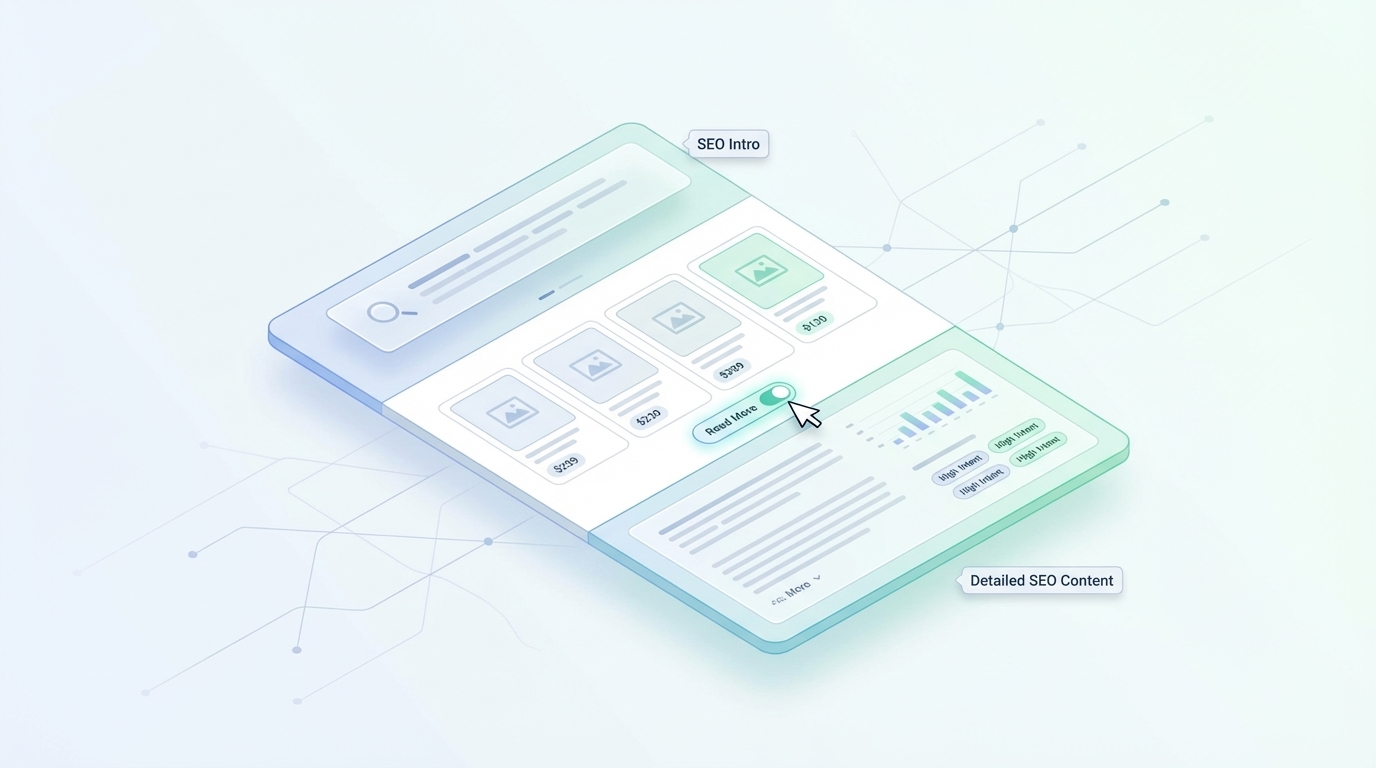
- Implementing a sandwich content strategy with a brief introduction above the fold and detailed educational content below the products helps satisfy search engines without pushing inventory out of view.
- Category pages serve as critical internal linking hubs that capture middle-of-the-funnel search intent while distributing link equity to boost the visibility of individual product listings.
- Utilizing modern UI patterns like progressive disclosure through "Read More" toggles and integrated content cards allows for extensive SEO text without cluttering the mobile shopping experience.
- Technical optimization including Product schema markup and Core Web Vitals monitoring is essential for improving search engine readability and maintaining fast page load speeds for high-volume category archives.
Managing the balance between search engine requirements and a high-quality user experience is the primary challenge for modern e-commerce retailers. You need keyword-rich text to signal relevance to search crawlers, yet a cluttered interface can drive away potential customers. While individual product pages often receive the most optimization focus, category pages serve as the true powerhouses of organic traffic because they target high-volume, broad search terms.
Optimizing these collection pages requires a strategic blueprint that integrates unique text across the layout. The goal is to provide enough context for search engines without pushing your products below the fold or frustrating shoppers on mobile devices. You can achieve this by distributing content thoughtfully to satisfy both bots and humans. Understanding the mechanics of these systems is the first step toward hardening your site's defenses against ranking fluctuations.
The Evolution of the E-commerce Category Page: Balancing Search Engines and Shoppers
The traditional approach to e-commerce SEO often involved placing large blocks of text at the very top of a category page. While this satisfied older search algorithms, it created a poor user experience, requiring users to scroll past paragraphs of text to see any products. Modern shoppers expect immediate visual gratification and a clear path to the items they want to browse.
Because approximately 43% of all e-commerce traffic originates from organic Google searches, you can't afford to ignore the SEO potential of these pages. These collection hubs allow you to rank for broader commercial keywords that attract shoppers during their initial research and comparison phases. This means the page must act as both a functional catalog and an informative resource that establishes your brand's authority.
Finding the middle ground involves moving away from keyword stuffing toward a design-led content strategy. You must view the category page as a flexible container where text supports the visual elements rather than competing with them. By using a sophisticated layout, you can host extensive copy that helps your rankings while maintaining a clean, product-first aesthetic that converts visitors into buyers.
Why Category Pages are the Strategic Hub of Your SEO Efforts
Category pages serve as the foundation of your website's architecture by organizing disparate products into logical, searchable groups. They serve as primary internal linking hubs, guiding both users and search crawlers through your inventory. Category pages organize product collections to facilitate user discovery and navigation across the entire store.
Capturing Middle-of-the-Funnel Intent
Category searches often represent a hybrid of commercial and informational intent, which makes them highly valuable for long-term growth. When a user searches for a term like wireless headphones or men's leather boots, they aren't looking for a single specific SKU yet. Instead, they want to browse a variety of options to understand the market and narrow down their preferences.
Search terms like these indicate purchase intent without specifying exact products, making category pages ideal for capturing this traffic. Your content on these pages helps bridge the gap between initial curiosity and a final purchase decision. By providing context about styles, materials, or use cases, you give the shopper the confidence they need to move forward.
This educational layer transforms a simple list of products into a curated shopping experience that aligns with the way people actually search. You're not just listing inventory, but also providing a guided journey through your offerings. This approach satisfies the information-gathering stage of the buyer's journey while keeping the transaction a click away.
Distributing Link Equity Across the Catalog
From a technical standpoint, category pages are the primary vehicles for distributing authority throughout your website. They typically sit closer to the homepage in the site hierarchy, meaning they receive a significant amount of link equity. Internal linking for categories ensures that ranking signals flow from the strongest pages to individual product entries.
Internal links distribute authority across the site hierarchy, helping deeper pages rank more effectively. Each product linked from a well-optimized category page receives ranking signals that help it perform better in search results. This creates a compound SEO benefit where the growth of your category pages naturally lifts the visibility of your individual product pages.
You should focus on pages closer to your homepage to ensure they are easy to access and strategically linked for maximum impact. A well-organized structure prevents important products from becoming "orphaned" or hidden from search crawlers. Maintaining a shallow click depth ensures that both users and bots can reach your entire catalog with minimal effort.
The Role of Faceted Navigation in Content Strategy
Faceted navigation allows users to filter products by attributes such as color, size, or brand, but it can pose complex SEO challenges. You must decide which filter combinations are valuable enough to index and which to block to save your crawl budget. High-value filters like blue running shoes often deserve their own unique, design-led SEO copy to capture specific intent.
Developing unique faceted navigation content for high-volume filter combinations prevents the creation of thin-content pages that can dilute your site's authority. If a specific filter generates significant search volume, it should be treated as a sub-category with its own dedicated text. This allows you to dominate long-tail search queries that a general category page might miss.
Lower-value filters that don't have significant search volume should typically be noindexed to prevent search engines from wasting time on redundant pages. Crawl budget generally matters most for sites with 10,000 pages or more, so keeping your indexed list lean is essential. This targeted approach ensures that every indexed page on your site provides a high-quality user experience.
Managing the canonical tags for these faceted pages is a technical requirement for avoiding duplicate content issues. You should ensure that search engines understand which version of a filtered list is the primary one. By controlling which facets are indexable, you create a more efficient and authoritative site architecture that search engines can easily parse.
The Design Dilemma: Why Walls of Text Fail in Modern E-commerce
Traditional SEO bloat has a measurably negative impact on user engagement and conversion rates. When you use large blocks of text at the top of the page, you create a push-down effect that hides your products from view. This often leads to higher bounce rates because users don't see what they came for immediately upon landing on the site.
The UX vs. SEO conflict requires a solution that prioritizes the shopper's visual needs while satisfying the crawler's data needs. In fact, 52% of users cite poor aesthetics alone as a reason not to return to a website. Furthermore, 88% of users are unlikely to return to a website after a bad experience, highlighting the danger of intrusive text blocks.
Google's Helpful Content era has shifted the focus toward rewarding websites that prioritize user experience and genuine value. This update affects SEO by promoting websites with useful, people-focused content in search engine rankings. If your category pages feel like a chore to navigate due to excessive text, your search rankings will eventually suffer as engagement metrics decline.
To avoid these pitfalls, you must integrate your e-commerce content marketing strategy with modern web design principles. Every sentence should serve a purpose for the user while naturally incorporating target entities. This balance ensures that your site remains competitive in both search rankings and user satisfaction over the long term.
The Sandwich Content Strategy: Placement for Maximum Impact
You can resolve the UX vs. SEO conflict by using a sandwich strategy that splits your copy into two distinct sections. This approach ensures that search engines get the data they need while users enjoy an unobstructed shopping experience. By placing a small amount of text at the top and the rest at the bottom, you create a balanced layout that works for everyone.
Above the Fold: The Definition Block and Brand Hook
The top-of-page introduction should function as a concise definition block that sets the stage for the category. You should aim for 50 to 100 words that clearly convey to both users and AI-driven search engines exactly what the collection offers. Think of this section as your site's primary definition, not just a generic introduction.
You should add 2 to 4 short sentences of intro content at the top of the page. This keeps the block stable and summary-like, which is often the most important part for initial indexing. It allows you to establish relevance without pushing the first row of products out of view on smaller mobile screens.
Focus your efforts here on a strong H1 heading and a clear value proposition that captures your brand's essence. It's important to keep this section brief enough to fit within the initial screen view on mobile devices. Establishing a clear topical anchor at the top of the page helps the crawler immediately verify the page's purpose.
Below the Fold: The Educational Deep Dive and FAQs
The heavy lifting for your e-commerce category page optimization should happen in the below-the-fold content area. This is the ideal place for the bulk of your copy, including buying guides, material explanations, and sizing tips. Because this content lives at the bottom, search engines can crawl extensive text without interrupting the shopper's journey.
Since all supporting content lives below the product grid, the copy should be designed to reinforce keyword relevance through specific subheadings. A bottom-of-page content framework typically includes two to three short paragraphs for category overviews. This allows you to expand on the category's nuances and technical specifications without distracting a user who is ready to buy.
Designing this section with care ensures it doesn't look like an afterthought or a keyword junk drawer. You can use this space to answer common questions or provide styling advice that keeps users on the page longer. This extra time on the page signals to search engines that your content is helpful and relevant to the user's search query.
A well-structured footer section can also include feature-specific search queries that help you capture long-tail traffic. By addressing technical details such as dimensions and compatibility, you meet the needs of highly informed shoppers. This strategy transforms the bottom of your page into a valuable resource for both humans and bots.
Implementing Product Listing Page Schema Markup
Structured data clarifies page intent for search engine crawlers by providing a standardized format for information. For category pages, you should focus on the ItemList schema to help Google understand the collection of products being displayed. This technical layer doesn't affect the visual design but significantly impacts how your site appears in rich search results.
You should also include the Product schema for each item listed on the page to provide data such as price and availability. When search engines can parse this data easily, they can display star ratings or price ranges directly in the search results. These enhanced listings often have a higher click-through rate compared to standard blue links.
Proper schema implementation acts as a translation layer that helps search engines map your products to their internal knowledge graphs. It's a technical requirement that reinforces the topical authority of your category pages. By making your data machine-readable, you ensure that your site is prepared for the next generation of AI-driven search engines.
You can use the Rich Results Test tool to verify that your markup is correctly implemented and eligible for snippets. It is important to ensure that the data in your schema matches the visible text on the page to avoid manual penalties. Consistency between your code and your content is a major factor in building trust with search algorithms.
Maximizing Image SEO Within Category Archives
Image search is a major driver of middle-of-the-funnel searches, where users are looking for visual inspiration. You should optimize your featured category images by using descriptive filenames and alt text that include your primary keywords. This allows your category pages to appear in Google Images, providing another entry point for potential customers.
Using high-quality, compressed images ensures your visuals are engaging without slowing page load time. Each product image in the grid should have alt text that describes the specific item and relates it to the main category. This adds a layer of keyword density that is completely invisible to the user but highly valuable to crawlers.
You should also implement lazy loading for images that are not immediately visible in the initial viewport. This technique improves page speed and user experience by loading images only as the user scrolls down. Faster pages are prioritized by search engines, especially for mobile users who may be on slower connections.
Including a unique, high-resolution hero image for each category can also improve the "aesthetic" score that keeps users on your site. When visual elements are professionally presented, users are 88% more likely to return for future purchases. Combining visual excellence with technical optimization is the key to dominating both traditional and visual search results.
Advanced Design Patterns for Hidden SEO Content
Modern UI components allow you to host collection page descriptions without making the page feel cluttered or overwhelming. These patterns are especially helpful for maintaining a minimalist design on mobile screens where space is limited. Using these techniques helps you meet word count requirements while keeping the product grid as the primary focus.
Progressive Disclosure and Read More Toggles
The use of a Read More button or an accordion is a gold standard for balancing UX and SEO. This technique, known as progressive disclosure, defers advanced information to a secondary view to make the page easier to digest. It ensures that the primary product grid remains the focus while providing a wealth of information for those who want it.
Progressive disclosure makes applications easier to learn and less error-prone by hiding complex features until they are needed. You must ensure that any text hidden by a toggle is present in the page's HTML or DOM. This allows Google to index the full content even if it isn't visually expanded for every user.
This design choice improves SEO by allowing you to create dedicated landing pages with greater depth without sacrificing speed. Users who want quick details can find them, while those seeking in-depth educational content can expand the section. It's a versatile solution that satisfies different types of user behavior simultaneously.
Integrating Content Cards into the Product Grid
A more modern approach involves placing small content blocks or tip cards directly within the product grid itself. You can insert these cards in the fourth or eighth slots to break up the visual monotony of a long list of items. These blocks can contain quick buying tips or short brand stories that naturally include your target keywords.
This method feels more organic to the user because the information appears as a natural part of the browsing process. It provides helpful context exactly when the user might be starting to feel overwhelmed by the number of product choices. These cards also provide additional internal linking opportunities to related categories or blog posts within the site.
Content cards allow you to integrate long-tail keywords in a way that feels like a value-add rather than an SEO requirement. By using engaging visuals on these cards, you can guide users toward educational resources that help them make a decision. This level of curation shows that your brand is an expert in the niche, which builds trust and authority.
Core Web Vitals and Technical Performance Health Checks
While text is generally lighter than images, adding too many DOM elements, such as headings and widgets, can impact your page's performance. You must monitor Core Web Vitals, particularly the Interaction to Next Paint metric, to ensure your content doesn't slow down the user interface. A slow-loading category page can undo all the benefits of your SEO efforts by frustrating users.
You should aim for a Largest Contentful Paint (LCP) of under 2.5 seconds to ensure your products appear quickly. If you use "Read More" toggles, ensure they use CSS-driven expansion rather than heavy JavaScript libraries that block the main thread. Keeping your code clean and efficient is just as important as the quality of the copy itself.
You should use lazy loading for any images or secondary widgets used within your below-the-fold content sections. By balancing technical health with rich content, you ensure that your site remains competitive in both search rankings and user satisfaction. Fast, responsive pages encourage users to browse longer and view more products per session.
Cumulative Layout Shift (CLS) is another metric to monitor when dynamically injecting SEO text into a page. If the text appears after the products have loaded and pushes the grid down, it creates a frustrating experience for the user. Ensure your layout has reserved space for any content that loads asynchronously to maintain a stable visual experience.
Pulling Social Proof Into Category Hubs with Reviews
Integrating customer reviews into your category descriptions provides immediate social proof that can increase conversion rates. You can pull dynamic snippets from top-rated products in the collection to show shoppers what others are saying. This content is naturally keyword-rich and frequently updated, which search engines find highly valuable.
Social proof helps lower the barrier to purchase by showing that a wider community trusts your products. Seeing a "Best Rated" section in the category text can quickly guide users to your most popular items. It transforms the category page from a simple list into a community-validated shopping destination.
You can also use aggregated review data to inform your category copywriting. If many users mention a specific material or feature in their reviews, you should highlight that in your main description. This ensures that your SEO text is aligned with actual customer language and priorities, making it more relevant and engaging.
Optimizing for Semantic SEO and User Intent
In the era of the Search Generative Experience, the quality and context of your copy matter far more than simple keyword density. You need to focus on the semantic relationships between words to prove that your page is a comprehensive resource. This shift requires you to consider the entities and concepts naturally associated with your products.
Beyond Keyword Density: Entities and LSI Terms
Google's algorithms now look for specific entities that are related to your main category to determine authority. For example, if you're optimizing a page for running shoes, the search engine expects to see terms like arch support or tread patterns. Including these related terms helps you build topical authority and shows that your content is genuinely helpful.
You shouldn't just repeat your primary keyword; instead, focus on the ecosystem of words that surround your products. Using tools to identify these semantic triples allows you to create a machine-readable map of your category's expertise. This approach ensures that your content remains natural and engaging for human readers while still being highly optimized for bots.
By focusing on entities, you move away from the risk of keyword stuffing and toward a more descriptive writing style. This makes your category pages feel like an expert wrote them rather than a marketer. It also helps your page rank for a wider variety of long-tail queries that you might not have targeted specifically.
Integrating these concepts into your content marketing for SaaS or e-commerce brands requires a deep understanding of your audience's technical vocabulary. When your content uses the same language as your users, it builds immediate credibility. This alignment is what search engines look for when determining which site provides the most "helpful" answer.
Using Question-Based Subheadings (H2s and H3s)
Using questions as subheadings is a powerful way to capture voice search queries and appear in People Also Ask boxes. When you address common customer concerns like "How do I choose the right size?" you provide immediate value that search engines love. This format makes your content easy to scan and encourages users to stay on the page to find answers.
Answering these questions directly helps you establish a conversational tone that builds trust with your audience. It also provides a clear structure for your below-the-fold content, making it look organized and professional. These FAQs can often be the deciding factor in helping a user transition from browsing to clicking on a specific product.
You should use H3 tags for these questions to create a clear hierarchy within your educational sections. This structure helps the algorithm understand that these are sub-topics related to the main category theme. By providing concise, direct answers, you increase your chances of being featured as a snippet in the search results.
Using Internal Sales Data to Drive Category Copy
A data-driven content strategy uses your internal sales figures to highlight best-selling products or trending sub-categories in your text. This signals to search engines that your content is based on real-world transaction patterns rather than just arbitrary keyword research. It also provides useful guidance for shoppers looking for the most popular options.
You can mention specific attributes that high-converting products share to help users understand what makes them special. If "breathable mesh" is a common feature among your top-selling sneakers, that term should be a focal point of your category description. This ensures that your SEO efforts are directly supporting your most profitable items.
Using your own data to create "Buying Guides" within the category page adds a layer of proprietary value that competitors cannot easily duplicate. It shows that your brand has deep experience and expertise in the products you sell. This level of information gain is highly rewarded by modern search algorithms that look for unique perspectives.
Strategic Internal Linking Architecture
Internal links distribute authority and help search engines understand the thematic relationships between different parts of your site. When you link strategically from your category pages, you create a topic cluster that signals your site's hierarchy. This practice makes it easier for users to navigate deeper into your catalog while boosting the visibility of your sub-categories.
The hub page + cluster model groups content into solid pillars that cover broad topics and cluster pages that dive into specific subtopics. Linking from a parent category to its sub-categories within the body of the text helps users narrow their search quickly. By using keyword-rich anchor text for these links, you reinforce the relevance of both the parent and the child pages.
Informational blog posts are also excellent tools for passing authority to your commercial category archives. A blog post can include direct links to your main category using optimized anchor text to bridge the gap between education and commerce. This holistic linking strategy ensures that your marketing and SEO efforts work in perfect harmony.
You should periodically audit your internal links to ensure that no part of your catalog becomes an isolated island. Every category and product should be within three clicks of the homepage to maintain maximum crawlability. A well-connected site is easier for search engines to index and more rewarding for users to explore.
Measuring Success: KPIs Beyond Simple Rankings
To understand if your category page content is truly effective, you need to look beyond simple keyword rankings. You should monitor organic entrances to see how many people are landing on the page directly from search results. However, you must also track the bounce rate and time on page to ensure that your SEO copy isn't driving users away.
If your rankings are increasing but your conversion rate is dropping, it's a sign that your design balance needs adjustment. You should aim for a page that attracts traffic but also encourages users to click through to individual products. Tracking the click-through rate from the category page to product detail pages is a key indicator of user engagement.
You should also monitor your search visibility for long-tail queries that were not explicitly targeted. A healthy category page will naturally start ranking for hundreds of small variations as it builds topical authority. Successful category content is measured by its ability to act as a bridge that moves users deeper into the sales funnel while maintaining high visibility.
Use heatmaps and session recordings to see how users interact with your "Read More" toggles or content cards. If users expand the text, it indicates that the information is actually useful to them. If they are skipping it entirely, you may need to revise the copy to be more engaging or better positioned.
Transform Your Category Pages with Strategic Brand Voice Content
Building a high-performing e-commerce brand requires a departure from the outdated walls of text that once dominated the web. Today's most successful retailers use design-led SEO strategies to provide contextual, helpful content that respects the user's time and attention. By strategically placing your copy and using modern UI elements, you can satisfy search engines without ever compromising on the beauty of your site's layout. This balance is the key to creating a sustainable organic growth engine that converts shoppers into loyal customers.
Achieving this balance at scale can be a challenge for growing businesses that need consistent, high-quality output across hundreds of categories. Our expertise lies in creating ready-to-publish SEO content that bridges the gap between technical requirements and brand integrity. We specialize in producing category descriptions that drive real results by prioritizing both search visibility and the human experience. Our platform automates the creation of high-impact category descriptions that satisfy both shoppers and search engines while maintaining a sub-2-second page load time.
If you are ready to scale your organic growth without compromising your brand aesthetic, we are here to help. We can show you how to dominate search results with content that converts and delivers genuine value to your audience. Our team understands the technical nuances of Core Web Vitals and semantic SEO, ensuring your site remains a leader in your niche. Schedule a demo today to see how Brand Voice can help you transform your e-commerce presence with strategically optimized category content.
